 Blog's Page
 Blog's Page
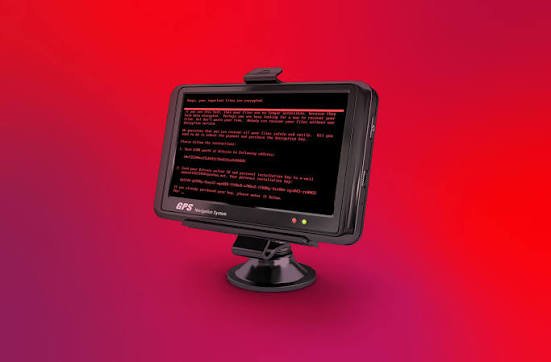
WastedLocker Ransomware Is One Of The Most Notorious Enterprise-focused Ransomware Families Discovered In 2020. Security Researchers Have Linked WastedLocker To The Cybercriminal Group Known As Evil Corp, A Threat Actor With A Long History Of Financially Motivated Cybercrime. Unlike Many Ransomware Campaigns That Target Individuals Indiscriminately, WastedLocker Was Designed To Target Large Organizations, Government Entities, Manufacturing Companies, And Critical Infrastructure Providers.
The Ransomware Is Known For Encrypting Files Across Networks, Disrupting Business Operations, And Demanding Substantial Ransom Payments In Exchange For Decryption Tools. WastedLocker Attacks Have Affected Organizations Worldwide And Caused Significant Financial And Operational Damage.
This Guide Provides A Comprehensive Overview Of WastedLocker Ransomware, Including Affected Operating Systems, Infected File Types, File Extensions, Countries Impacted, Indicators Of Compromise (IOCs), MITRE ATT&CK Techniques, Detection Guidance, FAQs, And Removal Recommendations.
WastedLocker Is A Sophisticated Ransomware Family That Encrypts Files On Infected Systems And Network Resources. The Malware Is Highly Targeted And Often Deployed After Attackers Spend Days Or Weeks Gaining Access To A Victim's Environment.
Attackers Typically:
Gain Initial Access
Escalate Privileges
Move Laterally Across The Network
Identify Critical Systems
Deploy Ransomware Manually
This Approach Allows Attackers To Maximize Damage And Increase The Likelihood Of Receiving Ransom Payments.
Attackers Often Use Malicious Emails Containing:
Malicious Attachments
Weaponized Documents
Links To Malware Downloads
Victims May Encounter Fraudulent Browser Updates Or Software Installers Containing Malware.
Weak Or Exposed RDP Services Can Be Compromised Through:
Password Spraying
Credential Stuffing
Brute-force Attacks
Attackers May Deploy WastedLocker After Obtaining Access Through:
Stolen Credentials
Vulnerability Exploitation
Third-party Compromises
WastedLocker Primarily Targets Microsoft Windows Environments.
Windows 7
Windows 8
Windows 8.1
Windows 10
Windows 11
Windows Server 2008
Windows Server 2012
Windows Server 2016
Windows Server 2019
Windows Server 2022
Enterprise Windows Environments Remain The Primary Target.
WastedLocker Searches For Valuable Business And User Data.
.doc
.docx
.xls
.xlsx
.ppt
.pptx
.sql
.mdb
.accdb
.db
.jpg
.jpeg
.png
.bmp
.tiff
.zip
.rar
.7z
.java
.cpp
.cs
.php
.py
.vmdk
.vhd
.vhdx
After Encryption, WastedLocker Appends Custom Extensions.
Examples Observed Include:
.wasted
.garminwasted
Organization-specific Variants
The Exact Extension Often Varies Based On The Victim And Campaign Configuration.
WastedLocker Is Not Primarily A Browser Hijacker, But Browsers May Be Involved During Infection.
Google Chrome
Microsoft Edge
Mozilla Firefox
Opera
Brave
Credential Theft
Session Hijacking
Malicious Downloads
Fake Update Delivery
An Exact Global Infection Count Is Unavailable Because Ransomware Incidents Are Frequently Undisclosed.
Security Vendors And Incident Response Firms Observed:
Hundreds Of Organizations Targeted
Thousands Of Systems Encrypted Within Affected Networks
Multiple High-profile Enterprise Victims
Because WastedLocker Was Highly Targeted Rather Than Mass-distributed, Its Total Victim Count Is Lower Than Commodity Ransomware Families. However, Its Impact Per Victim Was Often Substantially Higher.
WastedLocker Has Impacted Organizations Across Multiple Regions.
Countries Reporting Activity Include:
United States
Canada
United Kingdom
Germany
France
Italy
Spain
Netherlands
Australia
India
Japan
Singapore
Brazil
Mexico
South Africa
The Ransomware Targeted Organizations Globally Rather Than Focusing On A Single Geographic Area.
Victims May Notice:
Files Becoming Inaccessible
New File Extensions
Ransom Notes Appearing
High Disk Activity
Disabled Security Tools
Missing Backups
Unusual Administrative Activity
Unexpected Process Execution
Unknown Encryption Processes
Unauthorized PowerShell Execution
Suspicious Scheduled Tasks
New Services Created
Shadow Copy Deletion Activity
Registry Modifications
Ransom Notes
Encrypted Files With Custom Extensions
Suspicious Executable Files
Temporary Payload Files
Connections To Attacker-controlled Infrastructure
Unexpected SMB Activity
Internal Lateral Movement
Abnormal Outbound Traffic
Mass File Modifications
Backup Deletion
Security Software Tampering
Credential Harvesting Attempts
| Technique ID | Technique |
|---|---|
| T1566 | Phishing |
| T1059.001 | PowerShell |
| T1078 | Valid Accounts |
| T1021.001 | Remote Desktop Protocol |
| T1135 | Network Share Discovery |
| T1083 | File And Directory Discovery |
| T1486 | Data Encrypted For Impact |
| T1490 | Inhibit System Recovery |
| T1082 | System Information Discovery |
| T1047 | Windows Management Instrumentation |
| T1003 | Credential Dumping |
| T1027 | Obfuscated Files Or Information |
| T1105 | Ingress Tool Transfer |
| T1570 | Lateral Tool Transfer |
These Techniques Are Frequently Observed During Ransomware Intrusions.
title: Suspicious Shadow Copy Deletion
Logsource:
  Product: Windows
  Category: Process_creation

Detection:
  Selection:
    CommandLine|contains:
      - "vssadmin Delete Shadows"
      - "wmic Shadowcopy Delete"

Condition: Selection

Level: High
Event ID: 4104

Indicators:
- Invoke-Expression
- DownloadString
- EncodedCommand
- Base64 Payload Execution
Monitor For:
Mass File Encryption
Shadow Copy Deletion
Ransom Note Creation
Credential Dumping Tools
Administrative Abuse
Disconnect:
Internet Access
Internal Network Access
Shared Drives
Collect:
Logs
Ransom Notes
Suspicious Files
Memory Captures
Determine:
Affected Hosts
Compromised Accounts
Lateral Movement Paths
Use Reputable Security Tools To:
Detect Malware
Remove Persistence
Eliminate Backdoors
Change:
User Passwords
Administrative Accounts
Service Accounts
VPN Credentials
Recover Only After:
Complete Malware Removal
Verification Of Clean Systems
Watch For:
Re-encryption Attempts
Suspicious Logins
New Malware Activity
Protect:
VPNs
RDP
Administrative Accounts
Disable Public RDP Access
Use VPNs
Enforce Strong Passwords
Keep:
Offline Backups
Immutable Backups
Regular Recovery Testing
Update:
Windows Systems
Third-party Applications
Network Appliances
Monitor:
Process Behavior
Network Activity
Credential Abuse
Educate Users About:
Phishing
Malicious Attachments
Social Engineering
WastedLocker Is A Targeted Ransomware Family Associated With The Evil Corp Cybercriminal Group That Encrypts Files And Disrupts Business Operations.
While Attack Activity Changes Over Time, Organizations Should Remain Vigilant Because Threat Actors Frequently Adapt Their Tools And Techniques.
Common Extensions Include .wasted And Victim-specific Variants, Though Extensions May Vary Between Campaigns.
Its Primary Purpose Is File Encryption, But Attackers May Conduct Reconnaissance And Data Collection Activities Before Deploying Ransomware.
Primarily Microsoft Windows Desktops And Windows Server Environments.
Recovery Depends On The Availability Of Clean Backups And The Existence Of A Public Decryptor. Many Organizations Recover Through Backup Restoration Rather Than Ransom Payment.
Implement MFA, Maintain Offline Backups, Patch Systems, Restrict RDP Access, Deploy EDR Solutions, And Conduct Security Awareness Training.
WastedLocker Ransomware Remains One Of The Most Impactful Enterprise Ransomware Families Observed In Recent Years. By Targeting Windows Environments, Encrypting Critical Business Data, And Disrupting Operations, It Has Caused Significant Financial And Operational Losses For Organizations Worldwide.
Although Exact Infection Numbers Remain Unknown, Hundreds Of Organizations And Thousands Of Systems Have Been Affected Across Numerous Countries. Organizations Can Reduce Their Risk Through Strong Cybersecurity Controls, Employee Awareness, Proactive Monitoring, Regular Patching, Secure Backups, And Incident Response Planning.
A Layered Security Strategy Remains The Most Effective Defense Against Ransomware Threats Such As WastedLocker.
Step 1: Boot Into Safe Mode
Restart Your PC And Press F8 (or Shift + F8 For Some Systems) Before Windows Loads.
Choose Safe Mode With Networking.
Safe Mode Prevents Most Malware From Loading.
Press Win + R, Type appwiz.cpl, And Press Enter.
Sort By Install Date And Uninstall Unknown Or Recently Added Programs.
Use A Trusted Anti-malware Tool:
Malwarebytes – https://www.malwarebytes.com
Screenshot Of Malwarebytes - Visit Links
Microsoft Defender – Built Into Windows 10/11
HitmanPro, ESET Online Scanner, Or Kaspersky Virus Removal Tool
ZoneAlarm Pro Antivirus + Firewall NextGen
VIPRE Antivirus - US And Others Countries, | India
Run A Full Scan And Delete/quarantine Detected Threats.
Win + R, Type temp → Delete All Files.Press Win + R, Type %temp% → Delete All Files.
Use Disk Cleanup: cleanmgr In The Run Dialog.
Go To: C:\Windows\System32\drivers\etc
Open hosts File With Notepad.
Replace With Default Content:
Press Ctrl + Shift + Esc → Open Task Manager
Go To Startup Tab
Disable Any Suspicious Entries.
Open Command Prompt As Administrator.
Run These Commands:
netsh Winsock Reset

netsh Int Ip Reset

ipconfig /flushdns
Unwanted Homepage Or Search Engine
Pop-ups Or Redirects
Unknown Extensions Installed
For Chrome:
Go To: chrome://extensions/
Remove Anything Unfamiliar
For Firefox:
Go To: about:addons → Extensions
Remove Suspicious Add-ons
For Edge:
Go To: edge://extensions/
Uninstall Unknown Add-ons
Chrome:
Go To chrome://settings/reset → "Restore Settings To Their Original Defaults"
Firefox:
Go To about:support → "Refresh Firefox"
Edge:
Go To edge://settings/resetProfileSettings → "Reset Settings"
All Browsers:
Use Ctrl + Shift + Del → Select All Time
Clear Cookies, Cached Files, And Site Data
Make Sure They Are Not Hijacked.
Chrome: chrome://settings/search
Firefox: about:preferences#search
Edge: edge://settings/search
Chrome: chrome://settings/cleanup
Use Malwarebytes Browser Guard For Real-time Browser Protection.
Always Download Software From Trusted Sources.
Keep Windows, Browsers, And Antivirus Updated.
Avoid Clicking Suspicious Links Or Ads.
Use ad Blockers And reputable Antivirus Software.
Backup Your Files Regularly.
To Remove Malware From Your Windows PC, Start By Booting Into Safe Mode, Uninstalling Suspicious Programs, And Scanning With Trusted Anti-malware Tools Like Malwarebytes. Clear Temporary Files, Reset Your Network Settings, And Check Startup Apps For Anything Unusual.
For web Browsers, Remove Unwanted Extensions, Reset Browser Settings, Clear Cache And Cookies, And Ensure Your Homepage And Search Engine Haven’t Been Hijacked. Use Cleanup Tools Like Chrome Cleanup Or Browser Guard For Added Protection.
?? Prevention Tips: Keep Software Updated, Avoid Suspicious Downloads, And Use Antivirus Protection Plus Browser Ad Blockers. Regular Backups Are Essential.
Why It Matters: Not All VPNs Offer Malware Protection.
What To Look For: Providers With built-in Malware/ad/tracker Blockers (e.g., NordVPN’s Threat Protection, ProtonVPN’s NetShield).
Purpose: Prevents Data Leaks If Your VPN Connection Drops.
Benefit: Ensures Your Real IP And Browsing Activity Aren’t Exposed To Malware-distributing Websites.
Why It Matters: DNS Leaks Can Expose Your Online Activity To Attackers.
Solution: Enable DNS Leak Protection In Your VPN Settings Or Use A Secure DNS Like Cloudflare (1.1.1.1).
Risk: Free VPNs Often Contain Malware, Sell User Data, Or Lack Security Features.
Better Option: Use Reputable Paid VPNs That Offer security Audits And Transparent Privacy Policies.
Some VPNs Block Known Phishing And Malicious Sites.
Example: Surfshark’s CleanWeb, CyberGhost’s Content Blocker.
Reason: Security Patches Fix Known Vulnerabilities.
Tip: Enable Auto-updates Or Check For Updates Weekly.
Scope: Malware Can Enter Through Phones, Tablets, Or IoT Devices.
Solution: Install VPN Apps On Every Internet-connected Device.
Fact: VPNs Do Not Remove Or Detect Malware On Your System.
Complement It With:
Antivirus Software
Firewall
Browser Extensions For Script Blocking
VPN Encrypts Traffic But Can’t Stop Malware From Executing If You Download Infected Files.
Split Tunneling Allows Certain Apps/sites To Bypass VPN.
Tip: Never Exclude Browsers, Email Clients, Or Download Managers From VPN Tunneling.
A VPN (Virtual Private Network) Enhances Your Online Privacy By Encrypting Your Internet Traffic And Masking Your IP Address. It Protects Your Data On Public Wi-Fi, Hides Browsing Activity From Hackers And ISPs, And Helps Bypass Geo-restrictions. VPNs Also Add A Layer Of Defense Against Malware By Blocking Malicious Websites And Trackers When Using Advanced Features. However, A VPN Does Not Remove Existing Malware Or Act As Antivirus Software. For Full Protection, Combine VPN Use With Antivirus Tools, Regular Software Updates, And Cautious Browsing Habits. Always Choose A Reputable VPN Provider With Strong Security And Privacy Policies.
Wasted Locker Ransomware, Remove Wasted Locker Ransomware, Uninstall Wasted Locker Ransomware, Get Rid Of Wasted Locker Ransomware, Wasted Locker Rans











