 Blog's Page
 Blog's Page
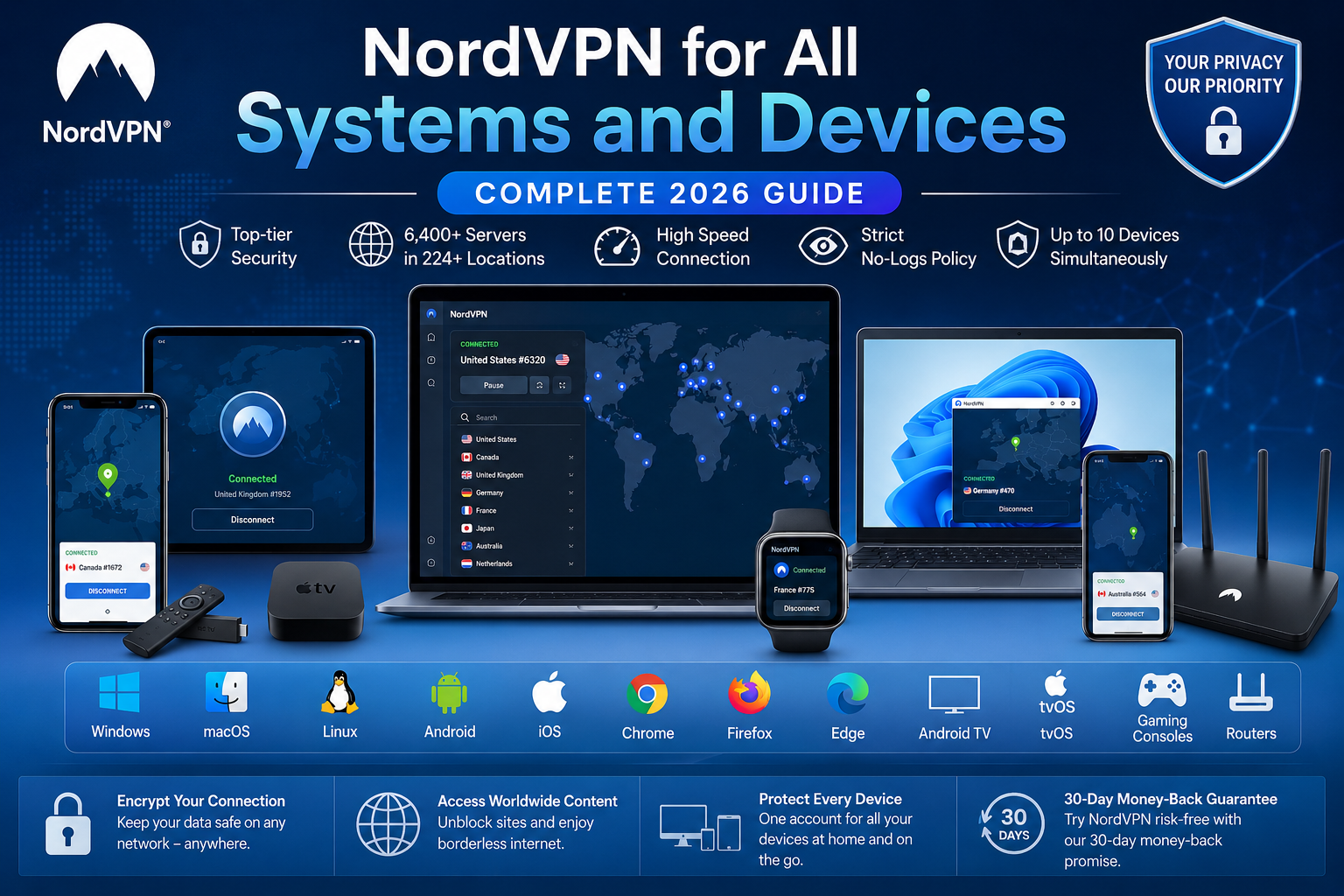
NordVPN For All Systems And Devices Has Become An Important Solution For Users Who Want Consistent Online Privacy, Security, And Safer Internet Access Across Computers, Smartphones, Tablets, Smart TVs, Browsers, Gaming Systems, And Home Networks. Instead Of Protecting Only One Computer, A Modern VPN Can Cover A Complete Digital Ecosystem.
NordVPN Currently Supports Major Platforms Including Windows, MacOS, Linux, Android, IOS, Chrome, Firefox, Edge, Android TV, And TvOS, While Additional Devices Can Be Protected Through Router Or Manual Configurations. A Single NordVPN Account Can Support Up To 10 Simultaneous Device Connections, Making It Practical For Individuals, Families, Remote Workers, And Users With Multiple Personal Gadgets.
A VPN, Or Virtual Private Network, Creates An Encrypted Connection Between A Device And A VPN Server, Helping Protect Internet Traffic From Unauthorized Observation While Also Masking The User's Public IP Address. When NordVPN Is Active, Internet Traffic Is Routed Through Its VPN Infrastructure Rather Than Directly Exposing The Device's Normal IP Address To Websites And Online Services.
This Can Be Particularly Useful When Connecting Through Public Wi-Fi At Airports, Hotels, Cafés, Universities, Offices, And Other Shared Networks. NordVPN Describes Its Service As Providing Encrypted Internet Connections, IP-address Protection, And Access To A Large Worldwide Server Network. Its Current Service Information Lists Thousands Of Servers Across More Than 224 Locations, Although Server Availability And Locations Can Change Over Time.
For Windows 10 And Windows 11 Computers, NordVPN Provides A Dedicated Application Designed For Straightforward Installation And Configuration. Users Can Install The Application, Sign In To Their Account, Select A VPN Server, And Establish A Protected Connection. Advanced Users Can Also Configure VPN Connections Manually Using Supported Protocols.
The Windows Application Includes Features Such As Automatic Connection Settings, A Kill Switch, Split Tunneling, Obfuscated Servers, And Meshnet, With Feature Availability Depending On The Application Version And Subscription. NordVPN Also Provides Support For Compatible Windows ARM Computers. Users Running Older Windows Versions Should Pay Attention To Support Limitations Because Legacy Applications May No Longer Receive The Same Feature And Security Updates As Current Releases.
Mac Users Can Install NordVPN On Compatible MacBook Pro, MacBook Air, IMac, And Other Apple Computers. The MacOS Application Is Designed To Provide Encrypted VPN Connectivity While Allowing Users To Choose Servers And Manage Their Connection Through A Graphical Interface. NordVPN Currently States That Its Newer Mac Application Requires MacOS 12 Monterey Or Later, While Support Information Also Identifies Certain Legacy MacOS Versions.
Users Should Therefore Verify Their Operating-system Version Before Installation. A VPN Can Be Particularly Useful For Mac Users Who Frequently Work From Cafés, Hotels, Airports, Educational Institutions, Or Other Networks Where The Security Of The Local Connection Cannot Be Assumed.
Linux Users Are Not Left Behind In A Multi-device VPN Environment. NordVPN Provides Linux Support And Installation Options For Distributions Such As Debian, Ubuntu, Linux Mint, Fedora, And Raspberry Pi OS, With Exact Supported Versions Changing As The Software Evolves. NordVPN Also Provides An Open-source Linux Option And Has Expanded Its Linux Experience Beyond Purely Command-line Administration.
For Developers, Researchers, System Administrators, Cybersecurity Professionals, And Technical Users, Linux VPN Support Can Be Valuable Because Many Development And Testing Environments Operate On Linux. As With Other Operating Systems, Users Should Check The Latest Compatibility Requirements Before Installing The Application.
Android Is One Of The Most Important Platforms For VPN Protection Because Smartphones Frequently Connect To Mobile Networks, Home Wi-Fi, Workplace Networks, And Public Hotspots. NordVPN Provides A Dedicated Android Application For Compatible Smartphones And Tablets. Users Can Install The Application, Sign In, Choose A Server, And Establish A VPN Connection.
NordVPN Also Provides Android TV And Amazon Fire TV Support, Making Its Ecosystem Broader Than Traditional Smartphone Protection. Android Users Can Benefit From Features Such As VPN Encryption, IP-address Masking, Automatic Connection Options, And Selected Additional Security Capabilities. NordVPN Currently Supports Android 9 And Newer Through Its Current Support Information, While Some Older Android Versions May Require Legacy Or Sideloaded Applications.
For iPhone And IPad Users, NordVPN Provides A Dedicated IOS Application Through Which Users Can Manage VPN Connections From Apple's Mobile Environment. A VPN Can Be Useful For Protecting Internet Traffic When Using Public Wi-Fi Or Other Networks Where Users Do Not Fully Control The Infrastructure.
NordVPN's Current Support Documentation Lists IOS 16.0 Or Later For Supported Devices, So Users With Older Apple Devices Should Check Compatibility Before Installing Or Upgrading The Application. The Key Advantage Of Using The Dedicated IOS Application Is Convenience: Instead Of Manually Configuring Every VPN Parameter, Users Can Generally Sign In, Select A Server, And Connect Through The Application.
Not Every User Wants To Route All System Traffic Through A VPN. For People Who Primarily Want To Protect Their Web Browsing, NordVPN Also Provides Browser Extensions For Chrome, Firefox, And Edge. Browser-based VPN Protection Can Be Useful When Users Want A Lighter Solution Focused Specifically On Web Activity.
However, A Browser Extension Should Not Automatically Be Considered Equivalent To A System-wide VPN Application Because Its Protection Scope Is Different. A Dedicated NordVPN Application Can Protect Traffic At The Device Level, Whereas A Browser Extension Primarily Operates Within The Supported Browser Environment. Choosing Between The Two Depends On Whether The Objective Is Browser-specific Privacy Or Broader Device-level VPN Protection.
Modern Homes Often Contain Multiple Entertainment Devices, Including Android TVs, Amazon Fire TV Devices, Apple TV/tvOS Systems, Chromecast Devices, And Other Smart-TV Platforms. NordVPN Supports Several Television And Streaming Environments Through Dedicated Applications Or Alternative Configurations. On Compatible Android TV And Fire TV Devices, Users Can Install The Application And Connect To A VPN Server Directly.
For Devices Without Native Application Support, A VPN-enabled Router Can Provide An Alternative Method. This Approach Can Be Especially Useful For Households Where Televisions, Streaming Devices, And Other Connected Equipment Need Network-level Protection Without Requiring A Separate VPN Application On Every Device.
Gaming Consoles Such As PlayStation, Xbox, And Nintendo Switch Generally Require A Different VPN Setup Approach Than Windows Or Android Devices. Depending On The Console And Network Configuration, Users May Configure NordVPN Through A Compatible Router Or Another Supported Networking Method. A VPN Can Help Mask A Public IP Address And Provide An Additional Layer Of Privacy For Online Gaming.
NordVPN Also Promotes Router-based Configurations For Consoles And Other Devices That Do Not Directly Support Its Native Application. However, Gamers Should Consider Latency Carefully: Routing Traffic Through A VPN Server Can Sometimes Affect Ping, Download Speeds, Or Connection Stability, Depending On The Server Location, Network Quality, VPN Protocol, And Distance Between The Player And The Gaming Infrastructure.
One Of The Strongest Options For NordVPN Across All Devices Is Installing The VPN Directly On A Compatible Wi-Fi Router. Instead Of Installing An Application Individually On Every Smart TV, Gaming Console, IoT Device, Or Household Computer, The Router Establishes The VPN Connection For Devices Connected To The Network.
NordVPN States That Router Configuration Can Protect Devices That Do Not Normally Support VPN Applications And Can Effectively Extend Protection Beyond The Standard Simultaneous-device Allowance. This Makes Router-based VPN Deployment Particularly Attractive For Households Containing Many Connected Devices. A Single Router VPN Connection Can Cover Smart TVs, Consoles, Laptops, Smartphones, Tablets, Smart-home Devices, And Other Network-connected Equipment, Subject To Router Capabilities And Configuration.
A Major SEO Search Question Is “How Many Devices Can I Use With NordVPN?” According To NordVPN's Current Support Information, One Account Can Connect Up To 10 Devices Simultaneously. There Are Technical Conditions When Multiple Devices Connect To The Same VPN Server, Because Protocol Combinations Can Affect How Many Connections Can Use That Same Server.
Importantly, Installing NordVPN On A Router Changes The Practical Equation Because The Router Itself Uses A Connection While Devices Behind It Can Access The Protected Network. Therefore, Users With Laptops, Phones, Tablets, Televisions, Consoles, And Smart-home Equipment Can Consider Either Direct Applications For Selected Devices Or Router-level Protection For Broader Household Coverage.
NordVPN Offers More Than Basic VPN Tunneling. Depending On The Subscription, Platform, And Application Version, Users May Have Access To Features Such As NordLynx, OpenVPN, IKEv2/IPsec Manual Configurations, NordWhisper, Double VPN, Obfuscated Servers, Split Tunneling, Threat Protection-related Capabilities, And Meshnet. NordLynx Is Designed Around Performance And Security, While Double VPN Routes Traffic Through Two VPN Servers For An Additional Privacy Layer.
Split Tunneling Allows Supported Applications To Use The VPN While Other Traffic Connects Normally. Obfuscated Servers Are Designed For Environments Where VPN Traffic May Be Restricted Or Identified. These Features Demonstrate Why A Multi-device VPN Is Not Simply About Changing An IP Address; It Can Provide A Configurable Security Layer For Different Computing Environments.
A VPN Is Particularly Valuable When Users Connect To Networks They Do Not Control. Public Wi-Fi Can Be Convenient, But Users Cannot Always Determine How The Network Is Configured Or Who Else Is Connected. NordVPN Encrypts VPN Traffic Between The Device And Its VPN Server, Helping Reduce The Exposure Of Network Traffic To Local Observers. It Can Also Replace The User's Visible IP Address With An Address Associated With The VPN Server.
However, A VPN Should Not Be Viewed As Complete Cybersecurity. Users Still Need Strong Passwords, Multi-factor Authentication, Current Operating-system Updates, Secure Browsers, Endpoint Protection, And Careful Behavior When Opening Links Or Downloading Files. NordVPN's Additional Security Features Can Complement These Practices Rather Than Replace Them.
The Multi-device Capability Is Useful For Families And Professionals Because A Modern Person May Use Several Internet-connected Devices Every Day. A Student Might Have A Laptop, Smartphone, And Tablet; A Remote Worker Could Have A Desktop, Work Laptop, And Phone; A Family Might Have Multiple Smartphones, Computers, Televisions, And Gaming Devices.
With Up To 10 Simultaneous Connections On One Account, NordVPN Can Simplify VPN Management For Many Personal Setups. Users Should Remember That The VPN Application Generally Operates At The Device Level, Meaning Traffic From Users On That Device Can Be Protected When The VPN Is Connected. For Larger Environments With Many Devices, Router-based VPN Deployment May Be More Practical.
Getting Started With NordVPN Is Generally Straightforward. First, Users Need An Active Subscription And A Supported Device. Next, They Download The Appropriate Application For Windows, MacOS, Linux, Android, Or IOS, Or Select A Suitable Configuration For A TV, Browser, Router, Or Other Supported Platform. After Installation, Users Sign In And Connect To A VPN Server.
NordVPN's Official Setup Documentation Follows This Basic Process Of Downloading, Installing, Logging In, And Connecting. Advanced Users Can Customize Protocols And Other Settings Where Supported. For Devices Without A Native Application, NordVPN Provides Alternative Setup Guidance Involving Routers Or Manual Configurations.
In 2026, The Concept Of Online Security Extends Well Beyond A Single Desktop Computer. Smartphones, Laptops, Tablets, Smart TVs, Gaming Consoles, Browsers, IoT Equipment, And Connected-home Devices All Contribute To A User's Digital Footprint. NordVPN For All Systems And Devices Addresses This Multi-device Environment Through Dedicated Applications, Browser Extensions, TV Support, Router Configurations, And Compatibility With Major Operating Systems. Its Current Plans Include Up To 10 Simultaneous VPN Connections, While Router Deployment Can Extend VPN Protection To Devices Connected To The Home Network.
For Users Searching For A VPN For Windows, Mac, Linux, Android, IPhone, Smart TV, Gaming Console, Or Router, NordVPN Provides A Broad Ecosystem Rather Than A Single-platform Product. The Most Suitable Setup Depends On The Device, Operating-system Version, Number Of Devices, Desired VPN Features, And Whether Protection Is Needed For Individual Devices Or An Entire Network.
Users Should Always Verify Current Compatibility, Subscription Terms, Supported Operating Systems, And Available Features Before Purchasing Because Software And Platform Requirements Can Change. NordVPN Currently Advertises A 30-day Money-back Guarantee On Its Plans, Providing An Opportunity To Evaluate The Service Under Its Applicable Terms.
NordVPN For All Systems And Devices Is Best Understood As A Multi-platform Privacy And Security Ecosystem Rather Than Simply A VPN Application For Computers. Windows And MacOS Users Receive Dedicated Desktop Applications, Linux Users Have Platform-specific Support, Android And IOS Users Can Protect Smartphones And Tablets, Browser Extensions Address Web-only Use Cases, And Compatible TVs And Streaming Devices Can Use Dedicated Applications Or Alternative Configurations.
For Households With Devices That Cannot Run VPN Software, Router Installation Can Provide Network-level Protection. With Up To 10 Simultaneous Direct Connections And Additional Router-based Possibilities, NordVPN Can Accommodate Many Personal And Family Setups. For Anyone Looking For A Single VPN Service That Works Across A Broad Range Of Modern Operating Systems And Connected Devices, NordVPN Remains A Strong Multi-device Option In 2026.
Virtual Private Network, VPN, NordVPN, NordVPN For Windows PC And Laptop, NordVPN For Linux Systems











