 Blog's Page
 Blog's Page
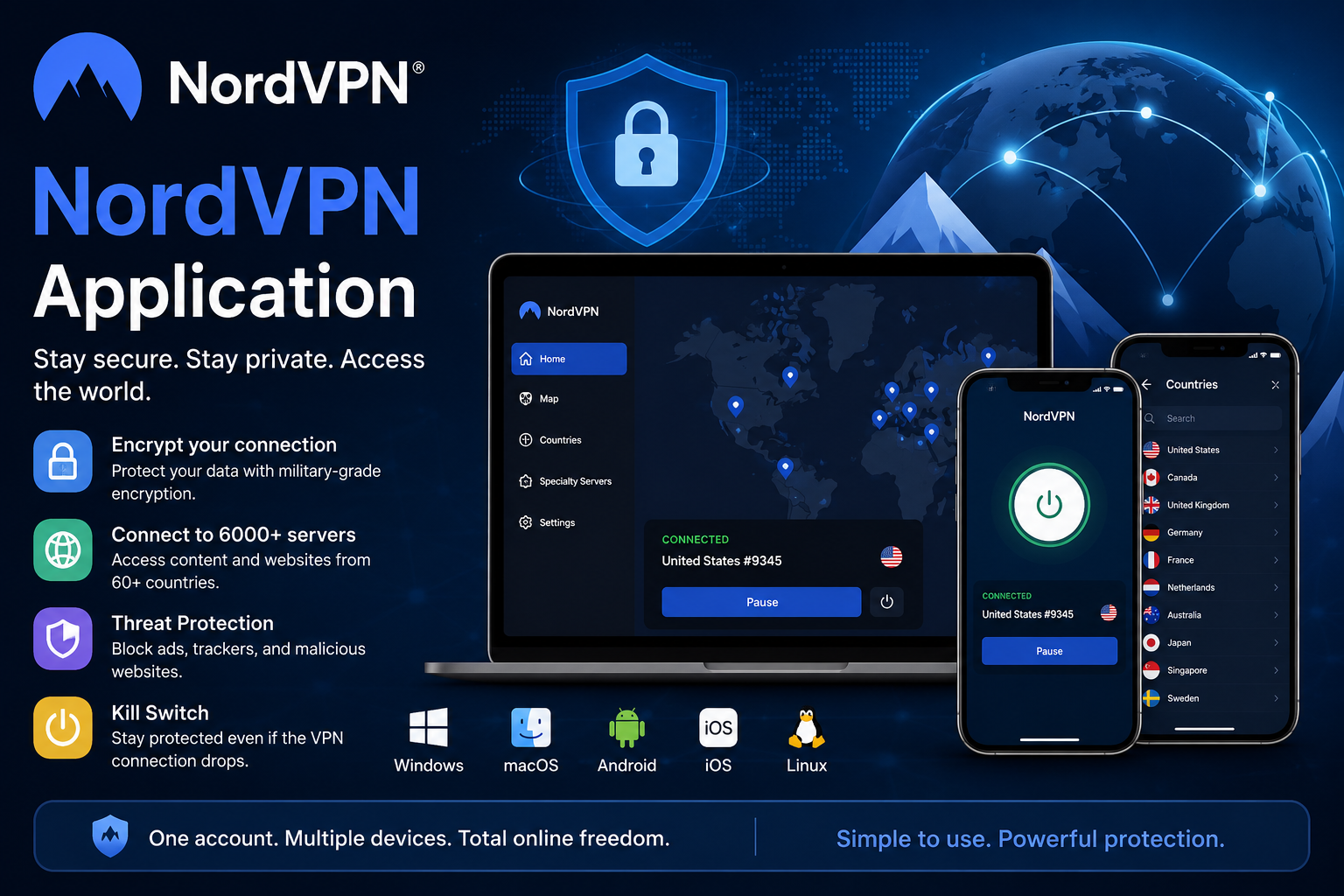
The NordVPN Application Is A Virtual Private Network (VPN) App Designed To Help Users Protect Their Online Privacy, Secure Internet Connections, And Access The Internet More Safely. It Is Available For Major Platforms, Including Windows, MacOS, Linux, Android, IOS, Android TV, And Selected Smart Devices. Whether You Are Browsing From Home, Working Remotely, Using Public Wi-Fi, Or Traveling, The NordVPN App Can Help Encrypt Internet Traffic And Reduce Exposure To Certain Online Privacy And Security Risks.
A VPN Works By Creating An Encrypted Connection Between A User’s Device And A VPN Server. Instead Of Sending Internet Traffic Directly Through The User’s Internet Service Provider (ISP), The Traffic Is Routed Through A Secure VPN Server. This Process Can Help Protect Information From Interception, Especially When Users Connect To Public Or Unsecured Wi-Fi Networks. The NordVPN Application Also Replaces The User’s Visible Public IP Address With An IP Address Associated With The VPN Server, Providing An Additional Layer Of Privacy.
NordVPN Is A VPN Service That Provides Applications For Desktop Computers, Smartphones, Tablets, And Other Supported Devices. The Application Allows Users To Connect To VPN Servers In Different Countries And Regions Through A Simple Interface. Users Can Select A Specific Server Location Or Use The Quick Connect Option To Connect Automatically To A Suitable Server.
The NordVPN App Is Designed For Both Beginners And Advanced Users. New Users Can Connect To A VPN Server With A Single Click, While Experienced Users Can Configure Security Features, Select VPN Protocols, Use Specialty Servers, And Customize Connection Settings. The Application Combines Privacy Tools, Encryption Technologies, And Network Security Features In One Platform.
One Of The Main Functions Of The NordVPN Application Is To Encrypt Internet Traffic. Encryption Converts Readable Information Into Protected Data That Is Difficult For Unauthorized Parties To Interpret. This Can Be Useful When Accessing Websites, Sending Information, Or Using Online Services Through Public Wi-Fi Networks.
VPN Encryption May Help Reduce The Risk Of Data Interception On Unsecured Networks. However, Users Should Still Follow Good Cybersecurity Practices, Such As Using Strong Passwords And Enabling Multi-factor Authentication.
The NordVPN Application Provides Access To Servers In Many Countries. Users Can Select A Server Based On Location, Performance, Or Specific Requirements. A Large Server Network Can Help Distribute Traffic And Provide Users With Multiple Connection Options.
For Example, A Traveler May Connect To A VPN Server In Their Home Country To Access Services That Are Normally Available There. Users Should Always Follow Local Laws And The Terms And Conditions Of The Online Services They Use.
The Quick Connect Feature Automatically Selects A Suitable VPN Server Based On Factors Such As Server Availability And Network Conditions. This Feature Is Useful For Users Who Do Not Need To Select A Specific Country Or Server Manually.
With Quick Connect, Users Can Open The NordVPN Application, Sign In, And Connect To A VPN Server With Minimal Configuration. This Makes The Application Convenient For Everyday Browsing And General Online Privacy.
NordVPN Offers The NordLynx Protocol, Which Is Designed To Provide A Balance Between Speed And Security. NordLynx Is Based On WireGuard Technology And Is Intended To Deliver Efficient VPN Performance While Supporting Privacy-focused Functionality.
The Protocol May Be Useful For Activities That Require Stable And Fast Internet Connections, Such As Video Conferencing, Online Learning, Cloud Access, And High-quality Streaming. Actual Speed Can Vary Depending On The User’s Internet Connection, Device, Location, And Selected Server.
The NordVPN Application Includes A Kill Switch Feature. If The VPN Connection Unexpectedly Drops, The Kill Switch Can Help Prevent Selected Applications Or Internet Traffic From Continuing Outside The Protected VPN Connection.
This Feature Can Reduce The Possibility Of Accidental Exposure Of A User’s Public IP Address During An Unexpected VPN Interruption. Users Who Require Continuous VPN Protection May Find The Kill Switch Useful When Working Remotely Or Handling Sensitive Online Activities.
The NordVPN Application Includes Security-related Tools Designed To Help Improve Browsing Protection. Depending On The Device And Operating System, These Features May Help Block Malicious Websites, Suspicious Downloads, Trackers, And Intrusive Advertisements.
Threat Protection Tools Can Provide An Additional Security Layer, But They Should Not Be Considered A Complete Replacement For Antivirus Software, Operating System Updates, Or Safe Browsing Practices. Users Should Continue To Avoid Suspicious Links, Unknown Downloads, And Phishing Websites.
The Auto-Connect Feature Can Automatically Establish A VPN Connection Under Selected Conditions. For Example, Users May Configure The Application To Connect When Joining An Untrusted Wi-Fi Network Or When Starting The Device.
Automatic VPN Protection Can Be Useful For People Who Frequently Travel, Work From Cafés, Use Hotel Wi-Fi, Or Connect To Public Networks. It Reduces The Need To Manually Activate The VPN Every Time An Internet Connection Is Established.
Split Tunneling Allows Users To Choose Which Applications Use The VPN Connection And Which Applications Access The Internet Directly. This Can Improve Flexibility And May Help Optimize Network Performance.
For Example, A User May Route A Web Browser Through The VPN While Allowing A Local Application To Use The Normal Internet Connection. The Availability And Functionality Of Split Tunneling May Vary By Operating System And Application Version.
The NordVPN Application May Provide Specialized Server Options For Different Privacy And Connectivity Requirements. These Can Include Servers Designed For Additional Privacy Features Or Specific Network Configurations.
Users Should Select Server Types Based On Their Needs And Understand How Each Option Affects Connection Speed, Compatibility, And Online Activity. Specialty Servers May Provide Additional Functionality But Can Sometimes Result In Slower Connections Because Of Extra Routing Or Security Processes.
The NordVPN Application Can Provide Several Benefits For Personal Users, Students, Remote Workers, Businesses, And Travelers.
| Benefit | Description |
|---|---|
| Online Privacy | Helps Mask The User’s Public IP Address |
| Data Encryption | Protects Internet Traffic Between The Device And VPN Server |
| Public Wi-Fi Security | Adds Protection When Using Unsecured Wireless Networks |
| Remote Work Support | Helps Secure Connections To Online Business Resources |
| Flexible Server Selection | Allows Users To Select Servers In Different Locations |
| Automatic Protection | Can Connect Automatically Under Selected Conditions |
| Additional Security Tools | May Help Block Malicious Websites, Trackers, And Suspicious Content |
| Multi-platform Support | Available For Computers, Smartphones, Tablets, And Other Supported Devices |
Using The NordVPN App Is Generally Straightforward. First, Visit The Official NordVPN Website Or Use A Trusted Application Store To Download The Correct Version For Your Device. Avoid Downloading VPN Applications From Unknown Websites Because Unofficial Installers May Contain Unwanted Software Or Malware.
After Installation, Open The Application And Sign In To Your NordVPN Account. You Can Then Select Quick Connect To Connect Automatically Or Choose A Preferred Country From The Server List. Once The VPN Connection Is Active, The Application Will Usually Display The Connection Status And Selected Server Location.
Users Can Also Open The Settings Menu To Configure Features Such As Auto-Connect, Kill Switch, VPN Protocol Selection, And Other Available Privacy Tools. It Is Recommended To Review These Settings And Select Options That Match Your Security And Performance Requirements.
The NordVPN Application For Windows Provides A Desktop Interface For Managing VPN Connections. Users Can Search For Countries, Select Servers, Connect Automatically, And Access Security Settings From One Dashboard.
Windows Users May Use The App To Protect Internet Traffic While Browsing, Working Remotely, Accessing Cloud Services, Or Connecting To Public Wi-Fi. The Application May Also Provide Advanced Settings For VPN Protocols And Connection Behavior.
The NordVPN Mobile Application Allows Smartphone And Tablet Users To Connect To VPN Servers While Using Mobile Data Or Wi-Fi. Mobile VPN Protection Can Be Useful When Users Connect To Public Networks In Airports, Hotels, Cafés, Educational Institutions, Or Other Shared Locations.
The App Provides A Simplified Interface With Connection Controls, Server Selection, And Security Settings. Users Should Download The Application Only From Official Mobile App Stores Or The Official NordVPN Website.
The NordVPN Application Is Designed To Provide Encrypted VPN Connections And Privacy-focused Features. However, No Application Can Guarantee Complete Security Against Every Cyber Threat. VPN Protection Should Be Part Of A Broader Cybersecurity Strategy.
Users Should Keep The NordVPN Application Updated, Install Operating System Security Updates, Use Strong And Unique Passwords, Enable Multi-factor Authentication, And Avoid Suspicious Websites. A VPN Can Protect Network Traffic, But It Cannot Prevent Every Form Of Phishing, Malware Infection, Account Compromise, Or Social Engineering Attack.
To Improve Security While Using The NordVPN App, Follow These Practices:
Download The Application Only From Official Sources.
Keep The VPN Application Updated.
Enable Auto-Connect When Using Public Wi-Fi.
Turn On The Kill Switch If Continuous VPN Protection Is Important.
Use Strong And Unique Account Passwords.
Enable Multi-factor Authentication When Available.
Avoid Entering Sensitive Information On Suspicious Websites.
Keep Your Operating System And Security Software Updated.
Select A Nearby Server When Speed Is More Important.
Review The Application’s Privacy And Security Settings Regularly.
The NordVPN Application Is A Useful Tool For Improving Online Privacy, Encrypting Internet Traffic, And Protecting Connections On Public Wi-Fi Networks. Its Features, Including Quick Connect, NordLynx, Kill Switch, Auto-Connect, Split Tunneling, And Security-focused Browsing Tools, Provide Flexibility For Different Types Of Users.
Whether You Are A Student, Remote Employee, Business Professional, Traveler, Or Regular Internet User, The NordVPN App Can Add An Important Layer Of Protection To Your Online Activities. However, A VPN Should Not Be Treated As A Complete Cybersecurity Solution. Combining VPN Protection With Strong Passwords, Software Updates, Multi-factor Authentication, Antivirus Tools, And Safe Browsing Habits Provides A More Effective Approach To Digital Security.
The NordVPN Application Is Used To Create An Encrypted VPN Connection, Improve Online Privacy, Protect Internet Traffic On Public Wi-Fi, And Provide Access To VPN Servers In Different Locations.
Yes. NordVPN Provides Applications For Android And IOS Devices, Along With Desktop Applications For Supported Operating Systems.
NordVPN Can Replace The User’s Visible Public IP Address With An IP Address Associated With The Selected VPN Server. This Can Provide An Additional Layer Of Online Privacy.
NordVPN May Include Security Features That Help Block Certain Malicious Websites, Trackers, Or Suspicious Downloads. However, Users Should Still Use Updated Security Software And Follow Safe Browsing Practices.
A VPN Does Not Normally Increase The Maximum Speed Provided By An Internet Service Provider. Performance May Vary Depending On The Server, VPN Protocol, Network Conditions, And Distance From The Selected Server.
Yes. A VPN Can Encrypt Internet Traffic And Provide Additional Protection When Using Public Or Unsecured Wi-Fi Networks.
NordVPN Supports Multiple Device Types And Operating Systems. The Number Of Devices That Can Be Used Under One Subscription May Depend On The Current Subscription Terms.
You Can Also Use This As A Complete SEO Article By Adding A Meta Title, Meta Description, Focus Keyword, URL Slug, And FAQ Schema.
NordVPN Application, NordVPN Software, NordVPN











