 Blog's Page
 Blog's Page
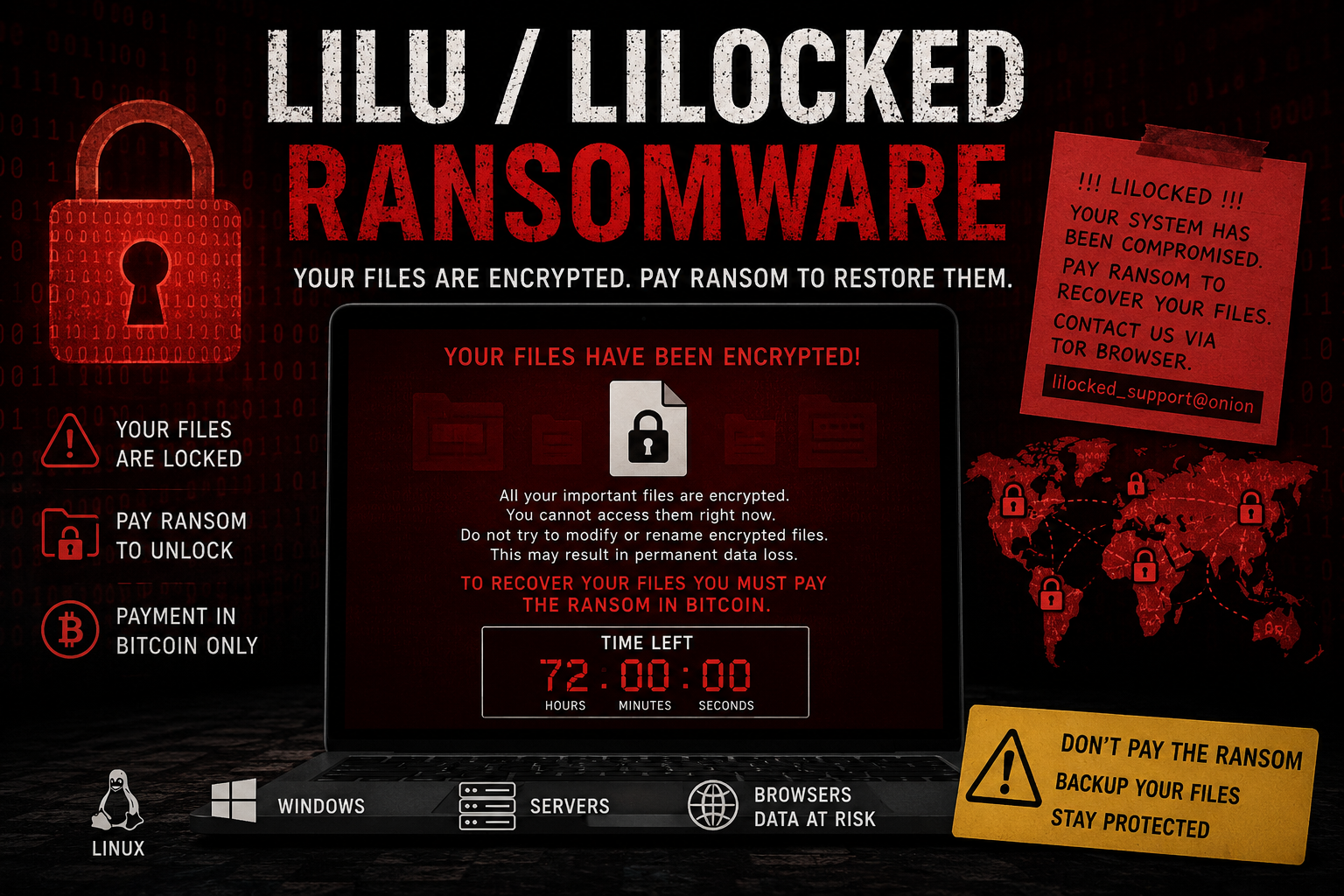
Lilu, Also Known As Lilocked Ransomware, Is A Dangerous File-encrypting Malware That Targets Computers And Servers By Locking Valuable Files And Demanding A Ransom Payment For Their Recovery. It Gained Attention For Primarily Attacking Web Servers And Websites, Encrypting Important Files And Appending A Unique Extension To Affected Data.
Like Most Ransomware Families, Lilu/Lilocked Uses Strong Encryption Algorithms That Make Files Inaccessible Without The Decryption Key Held By The Attackers. Once The Encryption Process Is Complete, Victims Are Presented With A Ransom Note Instructing Them To Pay A Cryptocurrency Fee To Regain Access To Their Files.
Cybersecurity Experts Strongly Advise Against Paying The Ransom Because There Is No Guarantee That Cybercriminals Will Provide A Working Decryption Key After Payment.
Lilu/Lilocked Ransomware Typically Spreads Through:
Malicious Email Attachments And Phishing Campaigns
Compromised Websites
Vulnerable Web Servers
Outdated Software And Operating Systems
Remote Desktop Protocol (RDP) Attacks
Pirated Software And Cracked Applications
Malicious Downloads From Untrusted Sources
Once Executed, The Malware Scans The System For Files And Begins Encrypting Them, Preventing Users From Opening Or Modifying The Affected Data.
There Is No Fixed Limit To The Number Of Files Lilu/Lilocked Can Infect. The Ransomware Is Designed To Scan All Accessible Drives And Directories, Encrypting As Many Files As Possible.
Commonly Targeted File Types Include:
Documents (.doc, .docx, .pdf)
Images (.jpg, .png, .gif)
Databases (.sql, .db)
Archives (.zip, .rar)
Website Files (.html, .php, .js)
Spreadsheets (.xls, .xlsx)
Media Files (.mp3, .mp4)
In Severe Infections, Thousands Or Even Millions Of Files Across Servers, Workstations, And Network Shares May Become Encrypted.
Lilu/Lilocked Ransomware Does Not Directly Target Web Browsers. However, Browser Data Stored On The Infected System May Become Inaccessible If The Ransomware Encrypts Related Files.
Potentially Affected Browsers Include:
Google Chrome
Mozilla Firefox
Microsoft Edge
Safari
Opera
Brave Browser
Saved Passwords, Bookmarks, Browsing History, And Browser Profiles May Be Impacted If Their Storage Files Are Encrypted During The Attack.
Lilu/Lilocked Ransomware Has Primarily Been Associated With Linux-based Web Servers, But Variants And Similar Ransomware Threats May Affect Multiple Operating Systems.
Potentially Vulnerable Operating Systems Include:
Linux
Ubuntu
Debian
CentOS
Red Hat Enterprise Linux
Fedora
Windows
Windows 10
Windows 11
Windows Server Editions
Other Platforms
Cloud-hosted Linux Environments
Virtual Private Servers (VPS)
Shared Hosting Environments
Organizations Running Outdated Or Unpatched Operating Systems Face A Significantly Higher Risk Of Infection.
If Your System Has Been Infected, Follow These Steps Immediately:
1. Disconnect The Infected Device
Remove The Affected Computer Or Server From The Network To Prevent The Ransomware From Spreading To Additional Devices And Shared Folders.
2. Identify The Ransomware Variant
Determine Whether The Infection Is Specifically Lilu/Lilocked Or Another Ransomware Strain. This Information Helps Cybersecurity Professionals Identify Available Recovery Options.
3. Remove The Malware
Use Reputable Anti-malware Or Endpoint Security Software To Scan And Remove Malicious Files. Ensure That All Ransomware Components Are Eliminated Before Attempting File Restoration.
4. Restore From Backups
The Safest Recovery Method Is Restoring Clean Backups Created Before The Infection Occurred. Verify Backups Are Malware-free Before Restoring Them.
5. Check For Free Decryption Tools
Security Researchers Occasionally Release Free Decryption Tools For Ransomware Variants. Check Trusted Cybersecurity Resources For Available Decryptors.
6. Patch Vulnerabilities
Update The Operating System, Applications, And Server Software To Close Security Gaps That May Have Enabled The Attack.
7. Monitor For Reinfection
After Cleanup, Continuously Monitor Logs, User Accounts, And Network Traffic To Ensure Attackers No Longer Have Access To The Environment.
Prevention Is The Most Effective Defense Against Ransomware. Follow These Cybersecurity Best Practices:
Maintain Regular Backups
Create Frequent Backups Of Critical Files And Store Copies Offline Or In Secure Cloud Storage. Test Backups Regularly To Ensure Successful Recovery.
Keep Software Updated
Install Security Updates For Operating Systems, Browsers, Applications, And Server Software As Soon As They Become Available.
Use Strong Endpoint Protection
Deploy Reputable Antivirus, Anti-malware, And Endpoint Detection Solutions Capable Of Identifying Ransomware Behavior.
Avoid Suspicious Emails
Do Not Open Attachments Or Click Links From Unknown Or Unexpected Senders. Verify Email Authenticity Before Interacting With Attachments.
Enable Multi-Factor Authentication (MFA)
Protect Administrative Accounts And Remote Access Services With MFA To Reduce Unauthorized Access Risks.
Restrict User Privileges
Grant Users Only The Permissions Necessary For Their Roles. Limiting Access Helps Reduce The Impact Of A Ransomware Infection.
Secure Remote Access
Disable Unused Remote Services And Secure Active Services Such As RDP With Strong Passwords And MFA.
Educate Employees
Regular Cybersecurity Awareness Training Helps Users Recognize Phishing Attempts And Other Ransomware Delivery Methods.
Lilu/Lilocked Ransomware Remains A Serious Cybersecurity Threat Capable Of Encrypting Massive Numbers Of Files Across Servers And Workstations. While Recovery Can Be Challenging, Maintaining Secure Backups, Applying Software Updates, And Implementing Strong Security Controls Can Significantly Reduce The Risk Of Infection. Organizations And Individuals Should Focus On Prevention, Rapid Detection, And Incident Response Planning To Minimize Damage From Ransomware Attacks.
Step 1: Boot Into Safe Mode
Restart Your PC And Press F8 (or Shift + F8 For Some Systems) Before Windows Loads.
Choose Safe Mode With Networking.
Safe Mode Prevents Most Malware From Loading.
Press Win + R, Type appwiz.cpl, And Press Enter.
Sort By Install Date And Uninstall Unknown Or Recently Added Programs.
Use A Trusted Anti-malware Tool:
Malwarebytes – https://www.malwarebytes.com
Screenshot Of Malwarebytes - Visit Links
Microsoft Defender – Built Into Windows 10/11
HitmanPro, ESET Online Scanner, Or Kaspersky Virus Removal Tool
ZoneAlarm Pro Antivirus + Firewall NextGen
VIPRE Antivirus - US And Others Countries, | India
Run A Full Scan And Delete/quarantine Detected Threats.
Win + R, Type temp → Delete All Files.Press Win + R, Type %temp% → Delete All Files.
Use Disk Cleanup: cleanmgr In The Run Dialog.
Go To: C:\Windows\System32\drivers\etc
Open hosts File With Notepad.
Replace With Default Content:
Press Ctrl + Shift + Esc → Open Task Manager
Go To Startup Tab
Disable Any Suspicious Entries.
Open Command Prompt As Administrator.
Run These Commands:
netsh Winsock Reset

netsh Int Ip Reset

ipconfig /flushdns
Unwanted Homepage Or Search Engine
Pop-ups Or Redirects
Unknown Extensions Installed
For Chrome:
Go To: chrome://extensions/
Remove Anything Unfamiliar
For Firefox:
Go To: about:addons → Extensions
Remove Suspicious Add-ons
For Edge:
Go To: edge://extensions/
Uninstall Unknown Add-ons
Chrome:
Go To chrome://settings/reset → "Restore Settings To Their Original Defaults"
Firefox:
Go To about:support → "Refresh Firefox"
Edge:
Go To edge://settings/resetProfileSettings → "Reset Settings"
All Browsers:
Use Ctrl + Shift + Del → Select All Time
Clear Cookies, Cached Files, And Site Data
Make Sure They Are Not Hijacked.
Chrome: chrome://settings/search
Firefox: about:preferences#search
Edge: edge://settings/search
Chrome: chrome://settings/cleanup
Use Malwarebytes Browser Guard For Real-time Browser Protection.
Always Download Software From Trusted Sources.
Keep Windows, Browsers, And Antivirus Updated.
Avoid Clicking Suspicious Links Or Ads.
Use ad Blockers And reputable Antivirus Software.
Backup Your Files Regularly.
To Remove Malware From Your Windows PC, Start By Booting Into Safe Mode, Uninstalling Suspicious Programs, And Scanning With Trusted Anti-malware Tools Like Malwarebytes. Clear Temporary Files, Reset Your Network Settings, And Check Startup Apps For Anything Unusual.
For web Browsers, Remove Unwanted Extensions, Reset Browser Settings, Clear Cache And Cookies, And Ensure Your Homepage And Search Engine Haven’t Been Hijacked. Use Cleanup Tools Like Chrome Cleanup Or Browser Guard For Added Protection.
?? Prevention Tips: Keep Software Updated, Avoid Suspicious Downloads, And Use Antivirus Protection Plus Browser Ad Blockers. Regular Backups Are Essential.
Why It Matters: Not All VPNs Offer Malware Protection.
What To Look For: Providers With built-in Malware/ad/tracker Blockers (e.g., NordVPN’s Threat Protection, ProtonVPN’s NetShield).
Purpose: Prevents Data Leaks If Your VPN Connection Drops.
Benefit: Ensures Your Real IP And Browsing Activity Aren’t Exposed To Malware-distributing Websites.
Why It Matters: DNS Leaks Can Expose Your Online Activity To Attackers.
Solution: Enable DNS Leak Protection In Your VPN Settings Or Use A Secure DNS Like Cloudflare (1.1.1.1).
Risk: Free VPNs Often Contain Malware, Sell User Data, Or Lack Security Features.
Better Option: Use Reputable Paid VPNs That Offer security Audits And Transparent Privacy Policies.
Some VPNs Block Known Phishing And Malicious Sites.
Example: Surfshark’s CleanWeb, CyberGhost’s Content Blocker.
Reason: Security Patches Fix Known Vulnerabilities.
Tip: Enable Auto-updates Or Check For Updates Weekly.
Scope: Malware Can Enter Through Phones, Tablets, Or IoT Devices.
Solution: Install VPN Apps On Every Internet-connected Device.
Fact: VPNs Do Not Remove Or Detect Malware On Your System.
Complement It With:
Antivirus Software
Firewall
Browser Extensions For Script Blocking
VPN Encrypts Traffic But Can’t Stop Malware From Executing If You Download Infected Files.
Split Tunneling Allows Certain Apps/sites To Bypass VPN.
Tip: Never Exclude Browsers, Email Clients, Or Download Managers From VPN Tunneling.
A VPN (Virtual Private Network) Enhances Your Online Privacy By Encrypting Your Internet Traffic And Masking Your IP Address. It Protects Your Data On Public Wi-Fi, Hides Browsing Activity From Hackers And ISPs, And Helps Bypass Geo-restrictions. VPNs Also Add A Layer Of Defense Against Malware By Blocking Malicious Websites And Trackers When Using Advanced Features. However, A VPN Does Not Remove Existing Malware Or Act As Antivirus Software. For Full Protection, Combine VPN Use With Antivirus Tools, Regular Software Updates, And Cautious Browsing Habits. Always Choose A Reputable VPN Provider With Strong Security And Privacy Policies.
Lilu/Lilocked Ransomware, Remove Lilu/Lilocked Ransomware, Delete Lilu/Lilocked Ransomware, Uninstall Lilu/Lilocked Ransomware, Get Rid Of Lilu/Lilock











