 Blog's Page
 Blog's Page
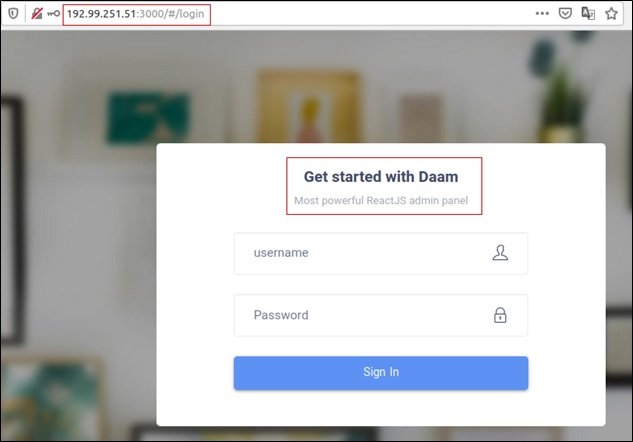
The Rapid Growth Of Android As The World’s Most Widely Used Mobile Operating System Has Made It An Attractive Target For Cybercriminals. Among The Many Threats That Have Emerged Over The Years, The Daam Android Botnet Stands Out As A Notable Example Of How Mobile Malware Has Evolved From Simple Adware Into Sophisticated, Network-controlled Threats. Understanding Daam Is Important Not Only For Security Professionals But Also For Everyday Users Who Rely On Android Devices For Communication, Banking, And Work.
Daam Is Classified As An Android Botnet Malware, Meaning It Infects Devices And Connects Them To A Remote Command-and-control Infrastructure. Once Compromised, Devices Can Be Controlled In Bulk, Often Without The User’s Knowledge. This Makes Botnets Particularly Dangerous, As They Allow Attackers To Scale Their Operations Across Thousands Or Even Millions Of Devices Simultaneously.
Daam Is A Family Of Android Malware That Primarily Targets Devices By Abusing System Permissions And Weak Security Configurations. Unlike Simple Malicious Apps That Focus On A Single Action, Daam Operates As A Long-term Infection. After Installation, It Establishes Persistence And Waits For Instructions From Its Operators. These Instructions Can Vary Depending On The Attacker’s Goals, Making Daam A Flexible And Adaptable Threat.
Security Researchers Have Observed Daam Being Distributed Through Unofficial App Stores, Modified Applications, And Malicious Download Links. In Many Cases, The Malware Is Disguised As A Legitimate App Or Utility, Tricking Users Into Granting Extensive Permissions During Installation. Once Those Permissions Are Granted, The Malware Gains Significant Control Over The Device.
Android Malware Has Gone Through Several Distinct Phases. Early Threats Were Often Noisy And Easy To Detect, Focusing On Premium SMS Fraud Or Aggressive Advertising. Daam Represents A More Mature Stage In This Evolution. It Emphasizes Stealth, Persistence, And Centralized Control Rather Than Immediate, Obvious Damage.
Botnet Malware Like Daam Is Especially Concerning Because It Turns Personal Devices Into Tools For Larger Cybercrime Operations. Instead Of Attacking A Victim Directly, Attackers Use Infected Devices As Infrastructure. This Can Include Relaying Malicious Traffic, Participating In Coordinated Attacks, Or Distributing Additional Malware.
Daam Typically Spreads Through Social Engineering Rather Than Technical Exploits. Users May Encounter It When Downloading Apps From Third-party Marketplaces, Clicking On Deceptive Advertisements, Or Installing “cracked” Or Modified Versions Of Popular Applications. These Distribution Methods Exploit Trust And Curiosity, Two Of The Most Reliable Tools In A Cybercriminal’s Arsenal.
Another Common Tactic Involves Fake Updates Or Security Tools. Users May Be Prompted To Install An Application That Claims To Improve Performance, Save Battery Life, Or Enhance Security. In Reality, These Apps Serve As Delivery Mechanisms For The Botnet Malware.
One Of Daam’s Defining Characteristics Is Its Ability To Remain Active On A Device For Extended Periods. Persistence Is Achieved Through Abuse Of System Features, Accessibility Services, Or Device Administrator Privileges. These Mechanisms Make It Difficult For Users To Remove The Malware Using Standard Methods.
Once Embedded, Daam Communicates With External Servers To Receive Commands. This Remote Control Capability Is What Transforms An Infected Device Into Part Of A Botnet. Commands Can Be Updated Or Changed At Any Time, Allowing Attackers To Adapt Their Strategy Without Needing To Reinfect Devices.
While Specific Behaviors Can Vary Between Versions, Botnet Malware Like Daam Is Generally Designed To Support Multiple Malicious Activities. These May Include Unauthorized Data Collection, Background Network Communication, And Manipulation Of System Settings. The True Danger Lies In The Malware’s Versatility Rather Than Any Single Feature.
Because Botnets Operate At Scale, Even Minor Actions Performed By Thousands Of Devices Can Have Significant Consequences. This Scalability Is What Makes Botnet Malware A Persistent Concern For Both Individual Users And The Broader Internet Ecosystem.
For Individual Users, A Daam Infection Can Lead To Degraded Device Performance, Increased Data Usage, Battery Drain, And Privacy Risks. Sensitive Information Stored On The Device May Be Exposed, And The User May Unknowingly Participate In Malicious Activities.
Organizations Are Also At Risk, Especially In Environments That Allow Employees To Use Personal Devices For Work. An Infected Android Device Connected To A Corporate Network Can Act As A Foothold For Further Attacks Or Data Leakage. This Highlights The Importance Of Mobile Security Policies And Device Management Solutions.
Mobile Botnets Like Daam Are Difficult To Detect Because They Are Designed To Blend In With Normal Device Behavior. Network Communication May Be Infrequent Or Encrypted, And Malicious Actions May Be Triggered Only Under Certain Conditions. This Stealthy Approach Reduces The Likelihood Of Detection By Both Users And Automated Security Tools.
Additionally, Many Users Are Unfamiliar With Android Permission Models And System Services. This Lack Of Awareness Makes It Easier For Malware To Operate In Plain Sight, Leveraging Legitimate Features For Illegitimate Purposes.
While Daam Aims To Remain Hidden, There Are Still Signs That May Indicate A Compromised Device. Unexplained Battery Drain, Unusual Data Consumption, And Unfamiliar Apps Or Services Running In The Background Can All Be Red Flags. Devices May Also Behave Unpredictably Or Display Persistent Notifications Related To Permissions Or Accessibility Services.
It Is Important To Note That These Symptoms Are Not Exclusive To Daam And Can Be Caused By Other Issues. However, When Multiple Indicators Appear Together, They Warrant Further Investigation.
Preventing Infections Like Daam Starts With Basic Security Hygiene. Users Should Download Apps Only From Trusted Sources, Carefully Review Permissions, And Keep Their Devices Updated With The Latest Security Patches. Avoiding Unofficial App Stores Significantly Reduces The Risk Of Encountering Malicious Applications.
Using Reputable Mobile Security Solutions Can Also Help Detect And Block Known Threats. For Organizations, Mobile Device Management Tools Provide Additional Layers Of Control, Allowing Administrators To Enforce Security Policies And Monitor Device Health.
Security Researchers Play A Crucial Role In Identifying And Analyzing Threats Like The Daam Android Botnet. By Studying Malware Behavior In Controlled Environments, Researchers Can Develop Detection Signatures, Share Indicators Of Compromise, And Inform The Public About Emerging Risks.
This Collaborative Effort Between Researchers, Platform Providers, And Security Vendors Is Essential For Keeping The Android Ecosystem Resilient Against Evolving Threats.
Writing About Malware Requires A Careful Balance Between Education And Responsibility. Detailed Technical Instructions Can Be Misused, Which Is Why Responsible Reporting Focuses On High-level Concepts And Defensive Strategies. Awareness And Prevention Are Far More Valuable To Most Readers Than Technical Exploitation Details.
Blogs That Adopt This Approach Not Only Contribute Positively To The Cybersecurity Community But Also Maintain Credibility And Trust With Their Audience.
Even As Older Malware Families Fade Away, The Techniques They Introduced Often Persist. Daam Is Significant Not Just As A Specific Threat, But As A Representative Example Of Android Botnet Malware. Studying It Helps Security Professionals Anticipate Future Threats And Design Better Defenses.
The Continued Relevance Of Botnets Underscores The Need For Ongoing Education And Vigilance. As Long As Mobile Devices Remain Central To Daily Life, They Will Remain Attractive Targets For Attackers.
The Daam Android Botnet Highlights The Evolving Nature Of Mobile Malware And The Risks Associated With Insecure App Installation Practices. By Understanding How Such Threats Operate At A Conceptual Level, Users And Organizations Can Make More Informed Decisions About Mobile Security.
Education, Responsible Reporting, And Proactive Defense Are The Most Effective Tools Against Botnet Malware. While Threats Like Daam May Continue To Emerge, Awareness And Good Security Habits Can Significantly Reduce Their Impact And Help Protect The Broader Digital Ecosystem.
Step 1: Boot Into Safe Mode
Restart Your PC And Press F8 (or Shift + F8 For Some Systems) Before Windows Loads.
Choose Safe Mode With Networking.
Safe Mode Prevents Most Malware From Loading.
Press Win + R, Type appwiz.cpl, And Press Enter.
Sort By Install Date And Uninstall Unknown Or Recently Added Programs.
Use A Trusted Anti-malware Tool:
Malwarebytes – https://www.malwarebytes.com
Screenshot Of Malwarebytes - Visit Links
Microsoft Defender – Built Into Windows 10/11
HitmanPro, ESET Online Scanner, Or Kaspersky Virus Removal Tool
ZoneAlarm Pro Antivirus + Firewall NextGen
VIPRE Antivirus - US And Others Countries, | India
Run A Full Scan And Delete/quarantine Detected Threats.
Win + R, Type temp → Delete All Files.Press Win + R, Type %temp% → Delete All Files.
Use Disk Cleanup: cleanmgr In The Run Dialog.
Go To: C:\Windows\System32\drivers\etc
Open hosts File With Notepad.
Replace With Default Content:
Press Ctrl + Shift + Esc → Open Task Manager
Go To Startup Tab
Disable Any Suspicious Entries.
Open Command Prompt As Administrator.
Run These Commands:
netsh Winsock Reset

netsh Int Ip Reset

ipconfig /flushdns
Unwanted Homepage Or Search Engine
Pop-ups Or Redirects
Unknown Extensions Installed
For Chrome:
Go To: chrome://extensions/
Remove Anything Unfamiliar
For Firefox:
Go To: about:addons → Extensions
Remove Suspicious Add-ons
For Edge:
Go To: edge://extensions/
Uninstall Unknown Add-ons
Chrome:
Go To chrome://settings/reset → "Restore Settings To Their Original Defaults"
Firefox:
Go To about:support → "Refresh Firefox"
Edge:
Go To edge://settings/resetProfileSettings → "Reset Settings"
All Browsers:
Use Ctrl + Shift + Del → Select All Time
Clear Cookies, Cached Files, And Site Data
Make Sure They Are Not Hijacked.
Chrome: chrome://settings/search
Firefox: about:preferences#search
Edge: edge://settings/search
Chrome: chrome://settings/cleanup
Use Malwarebytes Browser Guard For Real-time Browser Protection.
Always Download Software From Trusted Sources.
Keep Windows, Browsers, And Antivirus Updated.
Avoid Clicking Suspicious Links Or Ads.
Use ad Blockers And reputable Antivirus Software.
Backup Your Files Regularly.
To Remove Malware From Your Windows PC, Start By Booting Into Safe Mode, Uninstalling Suspicious Programs, And Scanning With Trusted Anti-malware Tools Like Malwarebytes. Clear Temporary Files, Reset Your Network Settings, And Check Startup Apps For Anything Unusual.
For web Browsers, Remove Unwanted Extensions, Reset Browser Settings, Clear Cache And Cookies, And Ensure Your Homepage And Search Engine Haven’t Been Hijacked. Use Cleanup Tools Like Chrome Cleanup Or Browser Guard For Added Protection.
?? Prevention Tips: Keep Software Updated, Avoid Suspicious Downloads, And Use Antivirus Protection Plus Browser Ad Blockers. Regular Backups Are Essential.
Why It Matters: Not All VPNs Offer Malware Protection.
What To Look For: Providers With built-in Malware/ad/tracker Blockers (e.g., NordVPN’s Threat Protection, ProtonVPN’s NetShield).
Purpose: Prevents Data Leaks If Your VPN Connection Drops.
Benefit: Ensures Your Real IP And Browsing Activity Aren’t Exposed To Malware-distributing Websites.
Why It Matters: DNS Leaks Can Expose Your Online Activity To Attackers.
Solution: Enable DNS Leak Protection In Your VPN Settings Or Use A Secure DNS Like Cloudflare (1.1.1.1).
Risk: Free VPNs Often Contain Malware, Sell User Data, Or Lack Security Features.
Better Option: Use Reputable Paid VPNs That Offer security Audits And Transparent Privacy Policies.
Some VPNs Block Known Phishing And Malicious Sites.
Example: Surfshark’s CleanWeb, CyberGhost’s Content Blocker.
Reason: Security Patches Fix Known Vulnerabilities.
Tip: Enable Auto-updates Or Check For Updates Weekly.
Scope: Malware Can Enter Through Phones, Tablets, Or IoT Devices.
Solution: Install VPN Apps On Every Internet-connected Device.
Fact: VPNs Do Not Remove Or Detect Malware On Your System.
Complement It With:
Antivirus Software
Firewall
Browser Extensions For Script Blocking
VPN Encrypts Traffic But Can’t Stop Malware From Executing If You Download Infected Files.
Split Tunneling Allows Certain Apps/sites To Bypass VPN.
Tip: Never Exclude Browsers, Email Clients, Or Download Managers From VPN Tunneling.
A VPN (Virtual Private Network) Enhances Your Online Privacy By Encrypting Your Internet Traffic And Masking Your IP Address. It Protects Your Data On Public Wi-Fi, Hides Browsing Activity From Hackers And ISPs, And Helps Bypass Geo-restrictions. VPNs Also Add A Layer Of Defense Against Malware By Blocking Malicious Websites And Trackers When Using Advanced Features. However, A VPN Does Not Remove Existing Malware Or Act As Antivirus Software. For Full Protection, Combine VPN Use With Antivirus Tools, Regular Software Updates, And Cautious Browsing Habits. Always Choose A Reputable VPN Provider With Strong Security And Privacy Policies.
Daam Malware Removal, Remove Daam Malware, How To Remove Daam Malware, Get Rid Of Daam Android Malware











