 Blog's Page
 Blog's Page
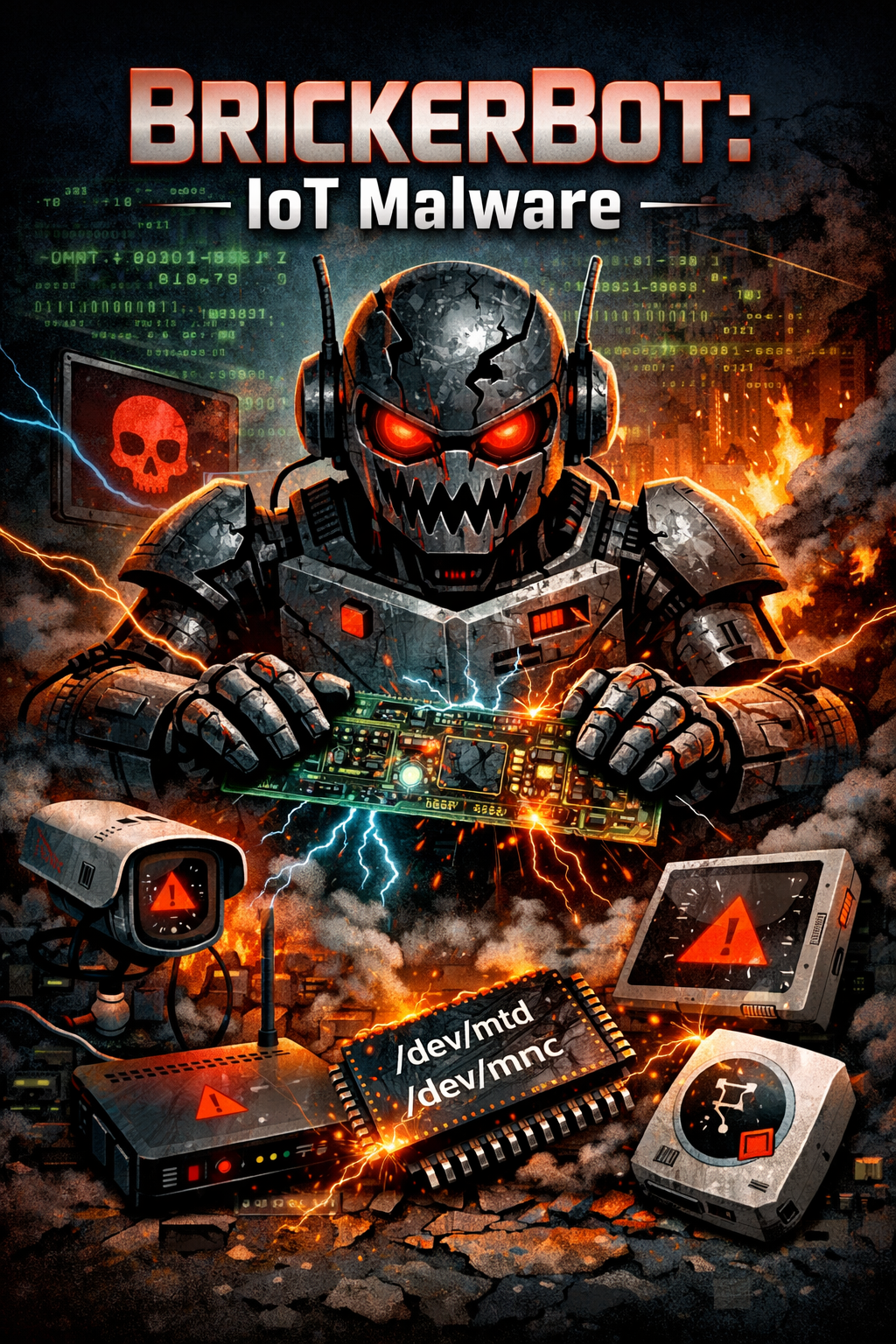
The Rapid Growth Of Internet Of Things (IoT) Devices Has Brought Convenience And Automation Into Everyday Life, But It Has Also Introduced New Cybersecurity Risks. One Of The Most Concerning Threats In This Space Is The Emergence Of Destructive Malware Like BrickerBot, Sometimes Referred To As BrickBot. This Malware Represents A Significant Evolution In Cyberattacks Targeting Connected Devices, Going Beyond Traditional Botnets To Cause Irreversible Damage.
BrickerBot Primarily Focuses On IoT Devices Such As Routers, IP Cameras, Smart Home Systems, And Other Embedded Devices That Are Often Poorly Secured. Many Of These Devices Are Shipped With Default Or Hardcoded Credentials, Which Users Either Forget To Change Or Cannot Modify. This Creates An Easy Entry Point For Attackers, And BrickerBot Takes Full Advantage Of This Vulnerability.
Unlike Typical Malware That Aims To Quietly Exploit Devices For Data Theft Or Surveillance, BrickerBot Is Designed To Permanently Disable Its Targets. In Cybersecurity Terms, This Is Often Referred To As “bricking” A Device, Meaning The Device Becomes Completely Unusable And Cannot Be Repaired Without Significant Technical Intervention Or Replacement. This Destructive Capability Sets BrickerBot Apart From Earlier IoT Threats.
The Malware Is Widely Considered An Advanced Iteration Of The Mirai Malware Family. While Mirai Gained Notoriety For Building Large Botnets Used In Distributed Denial-of-service (DDoS) Attacks, BrickerBot Takes A More Aggressive Approach. Instead Of Simply Recruiting Devices Into A Botnet, It Destroys Them After Exploitation, Effectively Removing Them From The Network Altogether.
The Attack Process Begins With Scanning. BrickerBot Actively Searches The Internet For IoT Devices That Have Open Telnet Ports, Which Are Commonly Used For Remote Access. Telnet, Being An Outdated And Insecure Protocol, Is Still Enabled On Many Devices, Making It A Prime Target. Once A Vulnerable Device Is Identified, The Malware Initiates A Brute-force Attack Using A List Of Common Username And Password Combinations.
If The Login Attempt Is Successful, The Malware Gains Control Of The Device And Executes A Series Of Commands Designed To Corrupt Its Functionality. These Commands May Overwrite Storage, Disrupt Network Configurations, Or Damage Essential System Files. The Result Is A Device That Can No Longer Operate Normally, Effectively Rendering It Useless.
One Of The Motivations Behind BrickerBot Is Believed To Be A Form Of “vigilante” Cybersecurity. Some Researchers Suggest That The Creator Intended To Remove Insecure Devices From The Internet To Prevent Them From Being Used In Larger Botnet Attacks. However, Regardless Of Intent, The Impact Remains Highly Destructive And Problematic For Device Owners.
The Widespread Presence Of Vulnerable IoT Devices Means That Threats Like BrickerBot Can Spread Rapidly. As More Homes And Businesses Adopt Connected Technologies, The Attack Surface Continues To Expand. This Makes It Critical For Users And Organizations To Take Proactive Security Measures.
To Protect Against Such Malware, Users Should Immediately Change Default Credentials On All IoT Devices And Use Strong, Unique Passwords. Disabling Unnecessary Services Like Telnet And Replacing Them With Secure Alternatives Such As SSH Can Significantly Reduce Risk. Regular Firmware Updates Are Also Essential, As Manufacturers Often Release Patches For Known Vulnerabilities.
In Addition, Network Segmentation Can Help Limit The Damage In Case A Device Is Compromised. By Isolating IoT Devices From Critical Systems, Users Can Prevent Malware From Spreading Across Their Network.
In Conclusion, BrickerBot Highlights The Urgent Need For Improved IoT Security. Its Ability To Exploit Weak Credentials, Scan For Open Ports, And Permanently Disable Devices Demonstrates How Dangerous Modern Malware Has Become. As IoT Adoption Continues To Rise, Prioritizing Security Is No Longer Optional—it Is A Necessity.
Key Capabilities Of BrickerBot / BrickBot Malware (Explained In Detail)
Exploits Hardcoded Passwords In IoT Devices
BrickerBot Actively Targets Internet Of Things (IoT) Devices That Rely On Default Or Hardcoded Login Credentials. Many Manufacturers Ship Devices With Preset Usernames And Passwords That Users Either Forget To Change Or Are Unable To Modify. The Malware Leverages This Weakness To Gain Unauthorized Access. Once Inside, It Can Execute Malicious Commands That Compromise The System At A Deep Level. This Highlights A Major Flaw In IoT Security Practices, Where Convenience Often Outweighs Protection.
Corrupts Device Storage And System Integrity
After Gaining Access, The Malware Proceeds To Damage The Internal Storage Of The Device. It May Overwrite Critical System Files, Erase Important Configurations, Or Manipulate Firmware Components. This Corruption Disrupts The Device’s Ability To Function Properly. In Many Cases, The Damage Is So Severe That The Device Cannot Reboot Or Recover, Effectively Rendering It Unusable Without Advanced Technical Repair.
Targets Hardware Leading To Physical Damage
One Of The Most Dangerous Aspects Of BrickerBot Is Its Ability To Go Beyond Software-level Attacks And Impact Hardware Functionality. By Sending Destructive Commands To System-level Components, The Malware Can Interfere With Memory Chips And Storage Controllers. This May Result In Permanent Hardware Damage, Making The Device Irreparable. Such Attacks Blur The Line Between Software Exploitation And Physical Destruction.
Disrupts Internet Connectivity And Device Performance
Compromised Devices Often Experience Severe Performance Degradation. The Malware Can Alter Network Configurations, Disable Connectivity Features, Or Overload System Resources. As A Result, Devices May Lose Internet Access, Become Unresponsive, Or Behave Unpredictably. This Not Only Affects Individual Devices But Can Also Disrupt Entire Networks, Especially In Environments With Multiple Connected Systems.
Wipes Files And Critical Data
BrickerBot Is Designed To Remove Essential Files From Infected Devices. This Includes System Logs, Configuration Files, And Operational Data Required For Normal Functioning. The Wiping Process Ensures That Recovery Becomes Extremely Difficult, As The Device Loses The Information Needed To Restore Itself. This Destructive Behavior Is A Key Reason Why The Malware Is Considered More Aggressive Than Traditional Botnet Threats.
Performs Telnet Brute Force Attacks
The Malware Scans The Internet For Devices With Open Telnet Ports (commonly Port 23). Once A Target Is Found, It Launches A Brute-force Attack Using A List Of Common Credential Combinations. Telnet Is An Outdated Protocol That Lacks Encryption, Making It An Easy Target For Attackers. Devices With Exposed Telnet Services Are Especially Vulnerable, Allowing The Malware To Quickly Gain Control.
Targets Specific Device Paths Like /dev/mtd And /dev/mmc
BrickerBot Specifically Interacts With Low-level Device Files Such As “/dev/mtd” (Memory Technology Device) And “/dev/mmc” (Multimedia Card). These Paths Are Directly Associated With Storage Hardware In Embedded Systems. By Writing Malicious Data To These Locations, The Malware Can Destroy Firmware And Storage Partitions, Ensuring The Device Cannot Boot Or Operate Normally.
Attacks Devices With Open Port 22 And Outdated Dropbear SSH
In Addition To Telnet, The Malware Also Targets Devices Running SSH Services On Port 22, Particularly Those Using Outdated Versions Of Dropbear SSH. Older Implementations Often Contain Vulnerabilities That Can Be Exploited For Unauthorized Access. By Leveraging These Weaknesses, BrickerBot Expands Its Attack Surface And Compromises A Wider Range Of IoT Devices.
Focuses On Permanently Disabling Devices (Bricking)
Unlike Traditional Malware That Uses Devices For Botnet Activities, BrickerBot’s Primary Objective Is Destruction. It Intentionally “bricks” Devices, Making Them Permanently Unusable. This Approach Not Only Removes Vulnerable Devices From Networks But Also Causes Financial Loss And Operational Disruption For Users.
Expands Rapidly Due To Widespread IoT Vulnerabilities
The Large Number Of Insecure IoT Devices Connected To The Internet Makes It Easy For BrickerBot To Spread. Weak Security Configurations, Lack Of Updates, And Exposed Services Contribute To Its Rapid Propagation. This Emphasizes The Urgent Need For Stronger Security Practices In The IoT Ecosystem.
The Malware Operates In Two Versions Namely, BrickerBot1 And BrickerBot2.Details Are Given Below:
BrickerBot 1:
It Targets Devices Which Are:
BrickerBot 2:
It Targets Devices Which Are:
Attack Methodology:
Note: Unlike Mirai, This Malware Does Not Make Use Of Any Binaries So The Complete List Of Default Credentials Used By The Attacker Is Not Available, Some Of The Default Credentials Used For Brute Force Attack Are "root"/ "vizxv", "root/root".
Countermeasures:
Countermeasure For Preventing DDoS Attacks:
Conclusion
BrickerBot Is A Highly Destructive Malware That Exploits Common IoT Weaknesses To Cause Irreversible Damage. Its Ability To Brute-force Access, Corrupt Storage, And Target Hardware Components Makes It A Serious Cybersecurity Threat. Strengthening Device Security, Disabling Unnecessary Services, And Updating Firmware Are Essential Steps To Defend Against Such Attacks.
Step 1: Boot Into Safe Mode
Restart Your PC And Press F8 (or Shift + F8 For Some Systems) Before Windows Loads.
Choose Safe Mode With Networking.
Safe Mode Prevents Most Malware From Loading.
Press Win + R, Type appwiz.cpl, And Press Enter.
Sort By Install Date And Uninstall Unknown Or Recently Added Programs.
Use A Trusted Anti-malware Tool:
Malwarebytes – https://www.malwarebytes.com
Screenshot Of Malwarebytes - Visit Links
Microsoft Defender – Built Into Windows 10/11
HitmanPro, ESET Online Scanner, Or Kaspersky Virus Removal Tool
ZoneAlarm Pro Antivirus + Firewall NextGen
VIPRE Antivirus - US And Others Countries, | India
Run A Full Scan And Delete/quarantine Detected Threats.
Win + R, Type temp → Delete All Files.Press Win + R, Type %temp% → Delete All Files.
Use Disk Cleanup: cleanmgr In The Run Dialog.
Go To: C:\Windows\System32\drivers\etc
Open hosts File With Notepad.
Replace With Default Content:
Press Ctrl + Shift + Esc → Open Task Manager
Go To Startup Tab
Disable Any Suspicious Entries.
Open Command Prompt As Administrator.
Run These Commands:
netsh Winsock Reset

netsh Int Ip Reset

ipconfig /flushdns
Unwanted Homepage Or Search Engine
Pop-ups Or Redirects
Unknown Extensions Installed
For Chrome:
Go To: chrome://extensions/
Remove Anything Unfamiliar
For Firefox:
Go To: about:addons → Extensions
Remove Suspicious Add-ons
For Edge:
Go To: edge://extensions/
Uninstall Unknown Add-ons
Chrome:
Go To chrome://settings/reset → "Restore Settings To Their Original Defaults"
Firefox:
Go To about:support → "Refresh Firefox"
Edge:
Go To edge://settings/resetProfileSettings → "Reset Settings"
All Browsers:
Use Ctrl + Shift + Del → Select All Time
Clear Cookies, Cached Files, And Site Data
Make Sure They Are Not Hijacked.
Chrome: chrome://settings/search
Firefox: about:preferences#search
Edge: edge://settings/search
Chrome: chrome://settings/cleanup
Use Malwarebytes Browser Guard For Real-time Browser Protection.
Always Download Software From Trusted Sources.
Keep Windows, Browsers, And Antivirus Updated.
Avoid Clicking Suspicious Links Or Ads.
Use ad Blockers And reputable Antivirus Software.
Backup Your Files Regularly.
To Remove Malware From Your Windows PC, Start By Booting Into Safe Mode, Uninstalling Suspicious Programs, And Scanning With Trusted Anti-malware Tools Like Malwarebytes. Clear Temporary Files, Reset Your Network Settings, And Check Startup Apps For Anything Unusual.
For web Browsers, Remove Unwanted Extensions, Reset Browser Settings, Clear Cache And Cookies, And Ensure Your Homepage And Search Engine Haven’t Been Hijacked. Use Cleanup Tools Like Chrome Cleanup Or Browser Guard For Added Protection.
?? Prevention Tips: Keep Software Updated, Avoid Suspicious Downloads, And Use Antivirus Protection Plus Browser Ad Blockers. Regular Backups Are Essential.
Why It Matters: Not All VPNs Offer Malware Protection.
What To Look For: Providers With built-in Malware/ad/tracker Blockers (e.g., NordVPN’s Threat Protection, ProtonVPN’s NetShield).
Purpose: Prevents Data Leaks If Your VPN Connection Drops.
Benefit: Ensures Your Real IP And Browsing Activity Aren’t Exposed To Malware-distributing Websites.
Why It Matters: DNS Leaks Can Expose Your Online Activity To Attackers.
Solution: Enable DNS Leak Protection In Your VPN Settings Or Use A Secure DNS Like Cloudflare (1.1.1.1).
Risk: Free VPNs Often Contain Malware, Sell User Data, Or Lack Security Features.
Better Option: Use Reputable Paid VPNs That Offer security Audits And Transparent Privacy Policies.
Some VPNs Block Known Phishing And Malicious Sites.
Example: Surfshark’s CleanWeb, CyberGhost’s Content Blocker.
Reason: Security Patches Fix Known Vulnerabilities.
Tip: Enable Auto-updates Or Check For Updates Weekly.
Scope: Malware Can Enter Through Phones, Tablets, Or IoT Devices.
Solution: Install VPN Apps On Every Internet-connected Device.
Fact: VPNs Do Not Remove Or Detect Malware On Your System.
Complement It With:
Antivirus Software
Firewall
Browser Extensions For Script Blocking
VPN Encrypts Traffic But Can’t Stop Malware From Executing If You Download Infected Files.
Split Tunneling Allows Certain Apps/sites To Bypass VPN.
Tip: Never Exclude Browsers, Email Clients, Or Download Managers From VPN Tunneling.
A VPN (Virtual Private Network) Enhances Your Online Privacy By Encrypting Your Internet Traffic And Masking Your IP Address. It Protects Your Data On Public Wi-Fi, Hides Browsing Activity From Hackers And ISPs, And Helps Bypass Geo-restrictions. VPNs Also Add A Layer Of Defense Against Malware By Blocking Malicious Websites And Trackers When Using Advanced Features. However, A VPN Does Not Remove Existing Malware Or Act As Antivirus Software. For Full Protection, Combine VPN Use With Antivirus Tools, Regular Software Updates, And Cautious Browsing Habits. Always Choose A Reputable VPN Provider With Strong Security And Privacy Policies.
BrickerBot: IoT Malware, Remove BrickerBot: IoT Malware, Uninstall BrickerBot: IoT Malware, Get Rid Of BrickerBot: IoT Malware











